Hear That? Why the Sounds Your Dev Tools Make Actually Matter

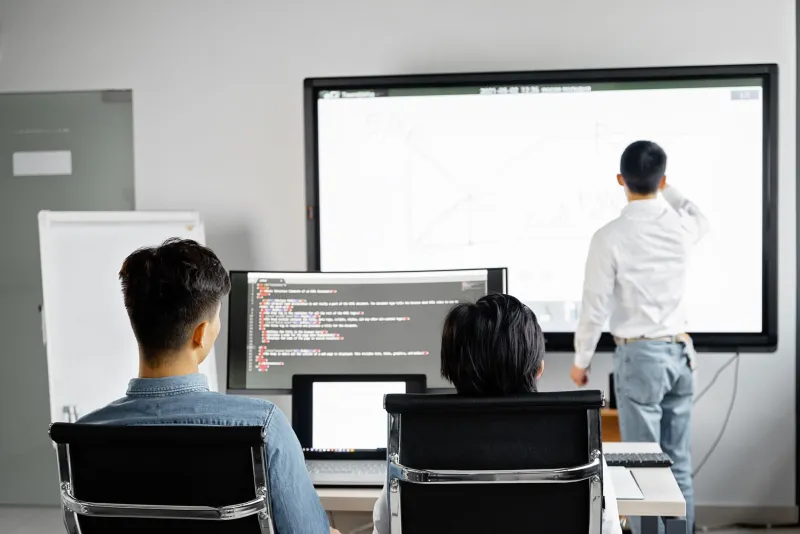
Photo: Official GDC, CC BY 2.0, via Wikimedia Commons
Most developers spend a lot of time thinking about what they see — dark mode vs. light mode, font choices, syntax highlighting color schemes that don't make their eyes bleed at 11pm. But a small, quietly growing corner of UX research is asking a different question: what about what you hear?
At RibbitSol, we're obviously partial to a good ribbit. But the conversation around audio UX in developer tools is way more nuanced than novelty notification sounds. It turns out the way your IDE, CI/CD pipeline, or monitoring dashboard communicates through sound — or doesn't — can have a real impact on how well your brain holds up through a long coding session.
The Cognitive Load Problem Nobody Talks About
Developer cognitive load is a well-worn topic in the engineering world. We've all heard the arguments for smaller PRs, cleaner APIs, and simpler abstractions. The idea is always the same: reduce the mental overhead so developers can focus on the hard stuff.
But most of those conversations stay firmly in the visual lane. Notifications pop up on screen. Error messages render in the terminal. Status indicators flash in a browser tab. Every single one of those interactions demands that your eyes — and therefore your attention — go somewhere.
"The visual channel is genuinely overloaded in most development environments," says Maya Chen, a UX researcher who's spent the last several years studying how software engineers interact with their tools. "Developers are context-switching constantly between their editor, their terminal, Slack, documentation, maybe a dozen browser tabs. Every time a visual alert fires, it's competing for the same attentional bandwidth as the actual code they're trying to write."
This is where audio enters the picture — not as a gimmick, but as a genuinely separate sensory channel that can carry information without hijacking your visual focus.
What Good Audio UX Actually Looks Like
Think about the difference between your phone buzzing in your pocket versus a full-screen notification popping up while you're in the middle of a sentence. The buzz gives you just enough signal to know something happened without demanding you stop what you're doing. Good audio UX in developer tools works the same way.
Dan Okafor, a product designer who's worked on tooling for several mid-sized software teams in the Pacific Northwest, describes what he calls "ambient notification design" — the idea that sounds in a dev environment should exist on a spectrum of urgency rather than all firing at the same volume and intensity.
"You want a production alert to feel different from a successful build completion," he explains. "If everything sounds equally urgent, nothing does. And if everything is silent, you're just staring at a screen waiting for visual changes, which is exhausting in its own way."
Some tools are already experimenting with this. Certain terminal emulators let developers configure audio cues for long-running commands — a soft chime when a build finishes, a more insistent tone when something fails. Some monitoring platforms have started offering audio dashboards for on-call engineers, where different system metrics correspond to different tones, almost like a musical instrument for infrastructure health.
It sounds a little out there, but the underlying science isn't. Auditory icons and earcons — short, distinct sounds that represent specific events — have been studied in human-computer interaction research since the 1990s. The challenge has always been implementation: making sounds that are distinctive without being annoying, informative without being distracting.
The Annoyance Problem (And How to Solve It)
Here's the honest counterargument: most developers hate notification sounds. The default alert tones baked into most software tools are, frankly, terrible. They're either too loud, too generic, or so similar to each other that they're useless as information carriers.
This is a design failure, not an argument against audio UX itself.
"The mistake most tool developers make is treating sound as an afterthought," Chen says. "They spend months on the visual interface and then spend about forty-five minutes picking a default alert tone from a stock library. Of course people turn it off."
The alternative is treating audio as a first-class design element — which means investing in distinct, carefully mapped sounds, giving users meaningful control over customization, and actually testing audio experiences with real developers in real work environments.
A few companies are starting to get this right. Certain pair programming and collaborative coding platforms have introduced spatial audio features that help remote teams feel more aware of what their collaborators are doing without constant visual check-ins. Some accessibility-focused developer tools have long understood that audio isn't optional for a meaningful portion of their users — and that designing for those users tends to produce better experiences for everyone.
Ambient Audio: The Frontier Nobody Expected
Beyond notifications and alerts, there's an even more experimental space worth watching: ambient audio in coding environments.
You've probably seen (or used) apps like Brain.fm or the brown noise playlists that developers swear by on YouTube. The idea that background sound can support sustained focus is well-established. What's newer is the idea that development tools themselves might incorporate adaptive ambient audio — soundscapes that shift subtly based on what you're doing, getting quieter during deep focus and more active during testing or review phases.
"It's early days," Okafor admits. "But the concept isn't that different from what game designers have been doing for decades. Games use adaptive audio to match the emotional state of what's happening on screen. There's no reason developer tools couldn't do something similar."
What Developers Can Do Right Now
You don't have to wait for your favorite IDE to ship a groundbreaking audio update. There are practical steps you can take today to start using sound more intentionally in your workflow.
First, audit your current audio environment. What sounds does your setup currently make? Are they helping or hurting? Most developers have no idea because they've tuned everything out — which is itself a signal that the defaults aren't working.
Second, customize aggressively. Most modern tools give you more audio control than you realize. Map distinct sounds to distinct event types. Make build failures sound different from linting warnings. Use a sound that genuinely grabs your attention for production incidents and something much softer for routine completions.
Third, consider your ambient layer separately from your notification layer. Pick a background audio environment that works for your focus style and treat it as infrastructure — as important as your monitor setup or your keyboard.
The Bottom Line
Developer experience has come a long way. We've got incredible visual tooling, thoughtful ergonomic hardware, and a whole industry dedicated to making software development less painful. Audio UX is one of the last sensory frontiers that hasn't gotten its due.
At RibbitSol, we think the best tools are the ones that get out of your way — and sound, designed well, is one of the most effective ways to deliver information without demanding your full attention. The science backs it up. The early implementations are promising. And honestly, a well-designed chime when your tests pass? That's a small joy that adds up over a long career.
Leap ahead. It might just sound better than you expected.